The notorious “tattoo gap” – a frustrating glitch where ink blocks wearable sensors – is becoming a thing of the past. As of 2026, significant hardware leaps are finally allowing tattooed users to track their health without constant disconnects. According to the latest data, while the struggle with photoplethysmography (PPG) remains real, the industry has finally found ways to “see through” the ink.
Most smartwatches rely on flashing green lights (PPG) to measure blood flow. Because tattoo pigments – specifically black and red – are designed to absorb light, they inadvertently “blind” the watch. This makes the device think it’s no longer on a wrist, leading to locked screens and failed heart-rate readings.
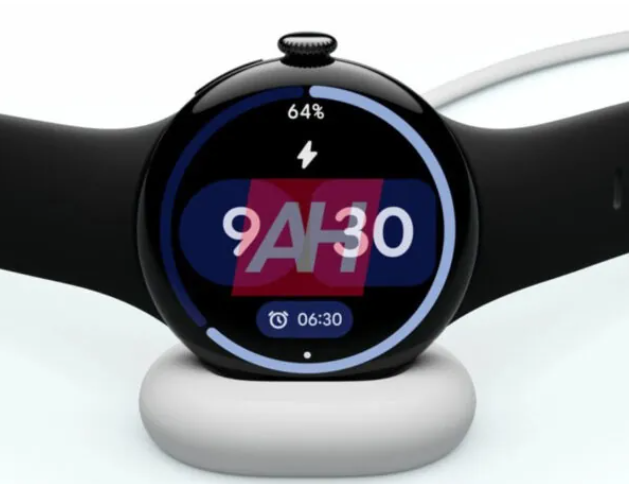
- The Breakthrough: Google Pixel Watch 4. Released late last year, the Pixel Watch 4 has emerged as the “holy grail” for the tattooed community. Its success lies in a new multi-path sensor array and advanced algorithms that are significantly better at filtering out signal noise caused by skin pigment. It is currently the most reliable “out of the box” choice for full sleeves.
- The Software Pioneer: Samsung Galaxy Watch (Series 6, 7, and Ultra). Samsung was the first major player to tackle this via software. Their “Improved Wearing Detection” feature is specifically calibrated for tattoos and darker skin tones. While it’s great for preventing the watch from constantly locking, heart rate accuracy during high-intensity training can still be slightly lower than on clear skin.
- The Smart Alternative: Oura Ring (Gen 3 or 4). If your wrist is solid “blackout” ink, it´s suggested to moving the tech to your finger. Since the underside of the finger is rarely tattooed, smart rings like the Oura bypass the wrist-sensing problem entirely, offering near-perfect health data for sleeved users.
Community-Vetted “Hacks” for Other Brands
If you are loyal to the Apple Watch Ultra 3 or Garmin Fenix 8 Pro, which still struggle with dense ink, these three workarounds remain the gold standard: Epoxy Stickers: Placing a small, clear 1-inch epoxy sticker over the sensor helps the light refract better. This “DIY fix” remains successful for roughly 90% of users. The “Inside Wrist” Flip: Most sleeves are lighter on the underside of the wrist. Simply flipping the watch face to the inside of your arm often solves the sensor drop-outs. Disabling Wrist Detection: A last resort for Apple Watch users. It stops the watch from locking, but be warned: this will disable Apple Pay for security reasons.
Source: NUTI.MOBI